
| Manufacturer | Redpark |
|---|---|
| Language of instructions | English |
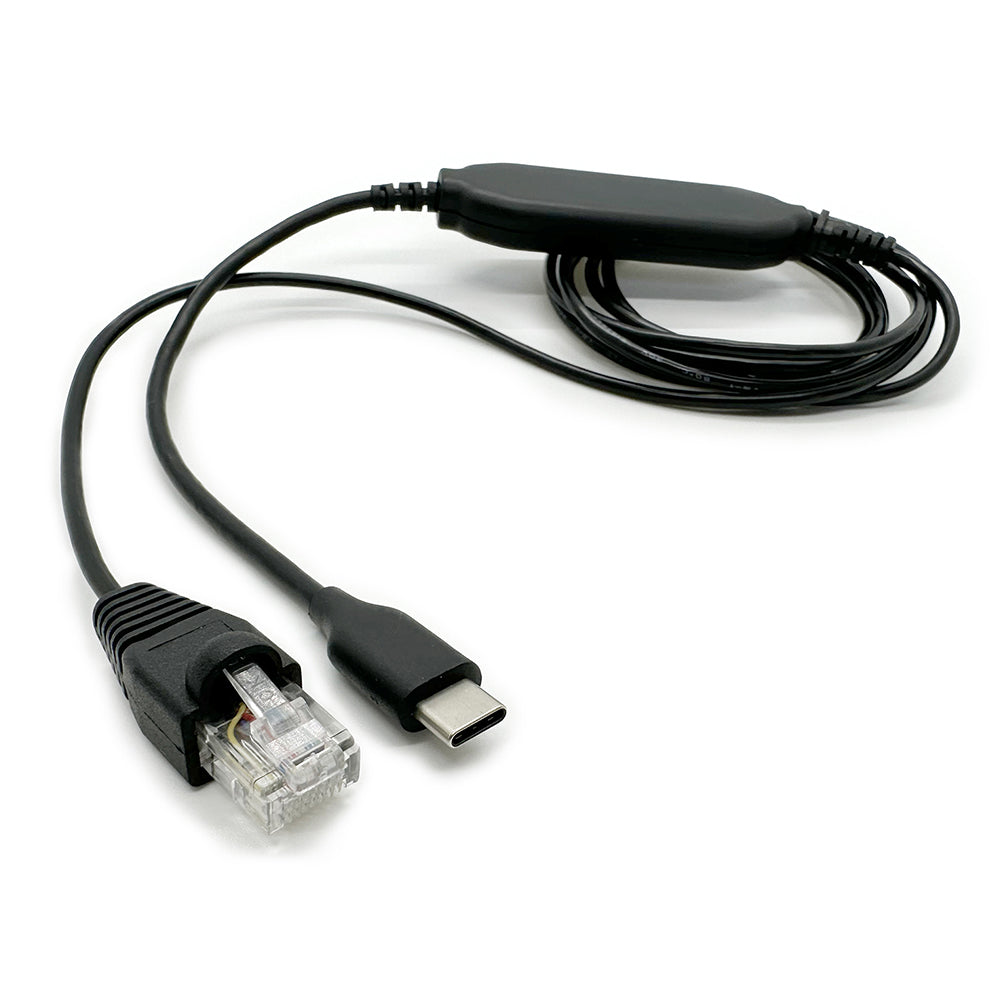
Redpark RJ-45 Console Cable for USB-C iOS Devices
Redpark USB-C Console Cable (C4-RJ45V)
Product description
detail
Connect your USB-C iPad to the console port on your Cisco network equipment.
It is also compatible with network equipment from other manufacturers that use the same type of console port.
Designed for Cisco "Prime", Cisco "Plug and Play", "SecureCRT", and "Get Console" apps available on the Apple App Store.
The USB-C console cable is also compatible with certain other apps available on the App Store.
The RJ-45 connector is wired to Cisco console port specifications. This is not an Ethernet cable.
This cable is "Made for iPad" (MFI) certified by Apple.
support
If your Redpark cable isn't working properly, try the following troubleshooting steps:Turn your iPhone off and then back on. (Do not put your iPhone to sleep; power it off completely and then on.)
If the issue persists...
Make sure your iPhone/iPad recognizes the cable:
≫Connect the cable to your iPhone
≫Open the iPhone Settings app
Select "General" and then "About."
>> Scroll down the list. If your cable is detected by iOS, "Console Cable" will appear at the bottom of the list.
If your iPhone detects the cable:
Check the app you're using to make sure the communication settings (baud rate, parity, etc.) are properly configured. If you have questions about the proper configuration, contact the app developer.
If your iPhone detects the cable and the communication settings are correct but you are still experiencing issues, the cable may have a short circuit.
If your cable is still under warranty for one year, please contact our customer support.
If your iPhone doesn't detect the cable:
>>Make sure your iPhone case isn't preventing the cable from fully inserting into your iPhone's USB-C connector.
Use a toothpick or safety pin to remove any debris that has accumulated in your iPhone's USB-C connector.
Try using the cable on a second iPhone or iPad and see if you get the same results.
If the cable works fine with a second iOS device, the cable is likely fine.
If the cable does not work with a second iOS device and the cable is still under warranty, please contact our customer support.
FAQ
Q: What network devices will this cable work with?
A: The console cable is designed to connect to the console port on Cisco network devices. It will also work with other brands of network equipment that have RJ45 console ports wired to Cisco specifications.
Q: What version of iOS is required?
A: iOS 14 or later is required.
Q: What apps does it work with?
A: This cable is compatible with the Cisco "Prime," Cisco "Plug and Play," "Get Console," and "SecureCRT" apps available on the App Store.
The cable is also compatible with a handful of other Apple-approved apps.
These apps include: "Get Satcom" and "Get ORT+" from Satcom Integration, and "Siemens Connect" from AMIX Capital.
Q: Can I use the Serial SDK to write apps for use with a console cable?
A: Yes, you can.
Q: How can I tell if my iOS device recognizes the cable?
A: Open the Settings app on your iOS device.
Select "General," then "About." Once the console cable is recognized by iOS, "Console Cable" will appear in the list.
Q: How do I check what firmware version my cable is using?
A: Once you have found your console cable in the Settings app, select your console cable to view its parameters.
Q: Can I use this cable to power my iOS device?
A: No, we cannot supply it.
Product features
Serial Interface:Male DB9 Connector
Maximum baud rate: 115 Kbps
iOS:
Compatible with all iOS devices with a USB-C connector
Requires iOS 14 or later
Length: Approximately 1.8m
Product information
More Information
Extended Information
| Item number | RDP-C4-RJ45V |
|---|---|
| situation | New |
| Packing weight (g) | 454 |
Redpark USB-C Console Cable (C4-RJ45V)
¥15,380
(Tax included.)
¥
¥(/)
(Tax included.)
Also Recommended
This product has no reviews yet.
よくある質問と回答
ご不明な点がございますか?
ご注文後のお問い合わせはカスタマーサービスにご連絡ください
This product has no reviews yet.