
| Manufacturer | Ducky |
|---|---|
| color | white |
| Language of instructions | Chinese |
| Product warranty | 1 year |


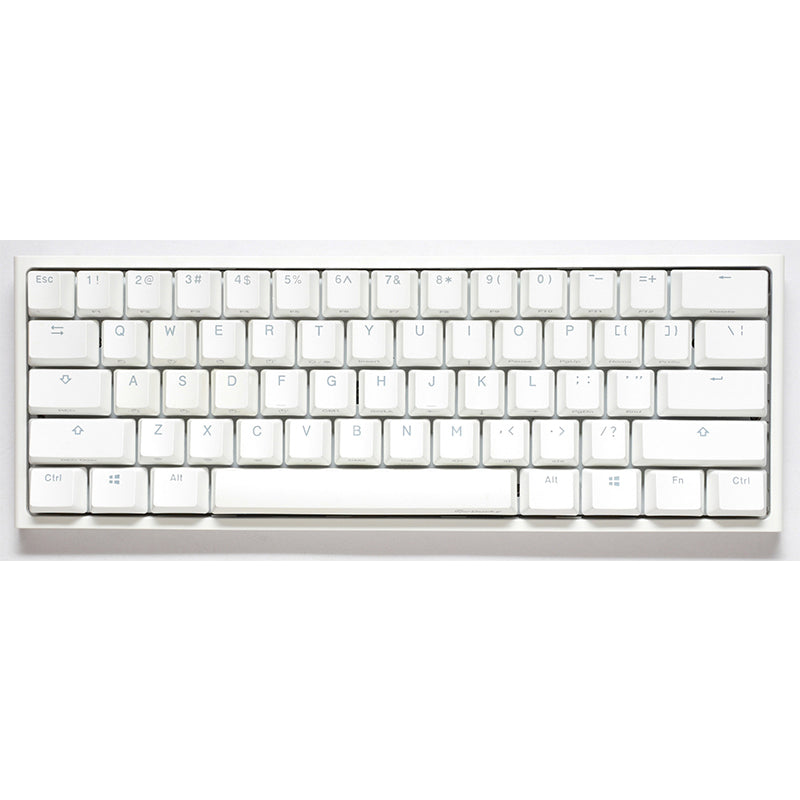
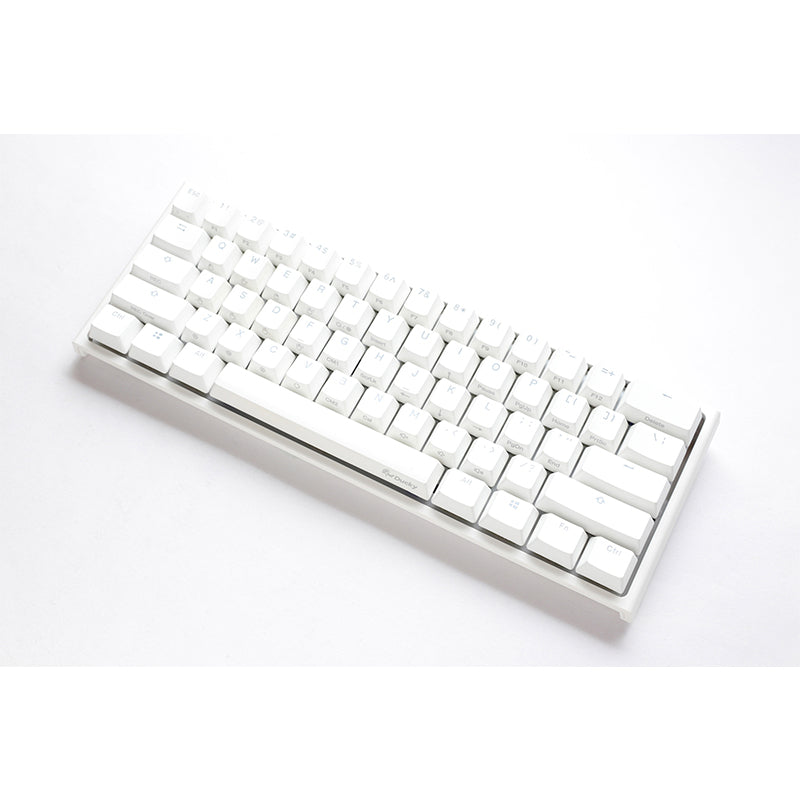
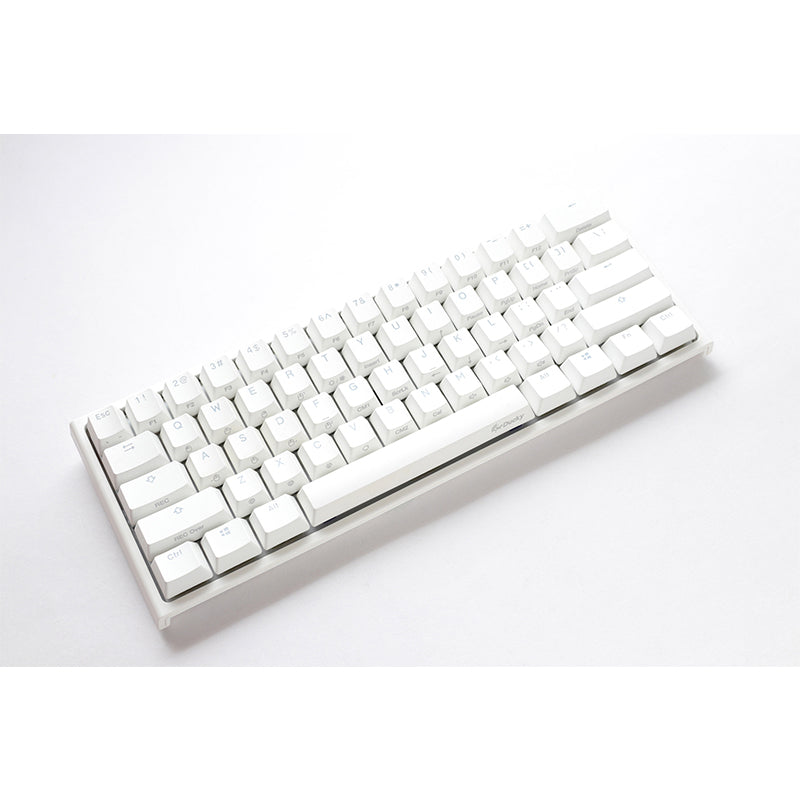

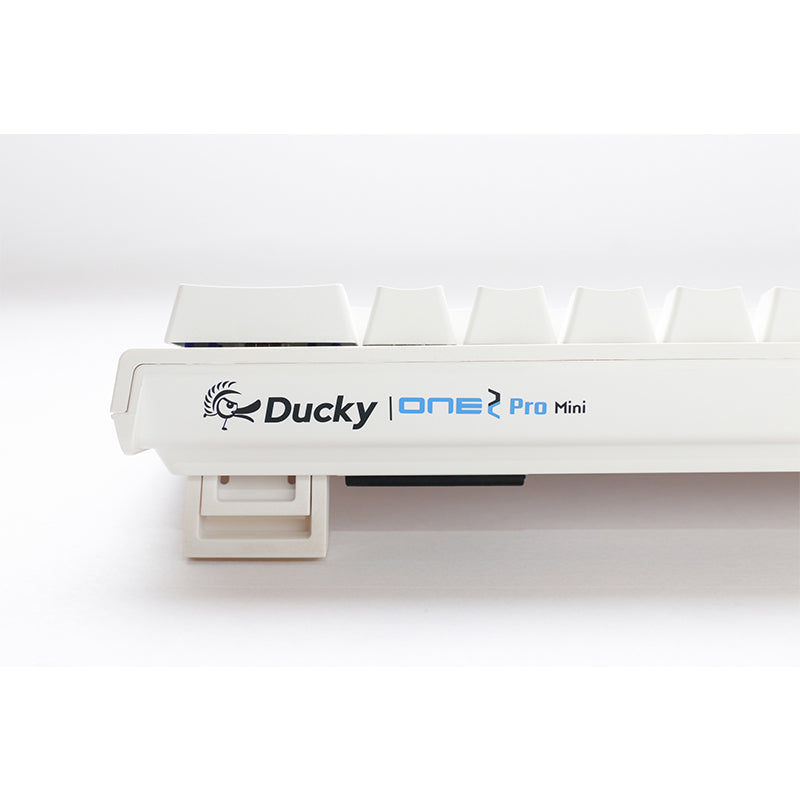


Ducky One 2 Pro Mini Pure White RGB Mechanical Keyboard, US Layout, 60% Version
Ducky One 2 Pro Mini Pure White RGB 60% version
*The product description images may use images of different options.
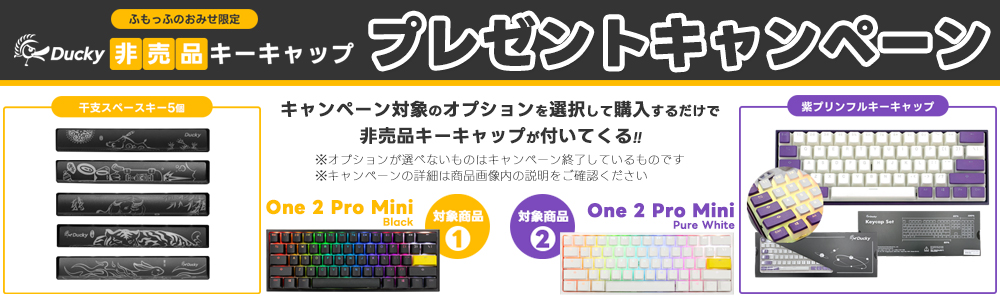
*Please note that the color of the replacement keycaps and the design of the zodiac keycaps may differ from the photo depending on the time of purchase.
*Please note that the color of the replacement keycaps and the design of the zodiac keycaps may differ from the photo depending on the time of purchase.
Product Features
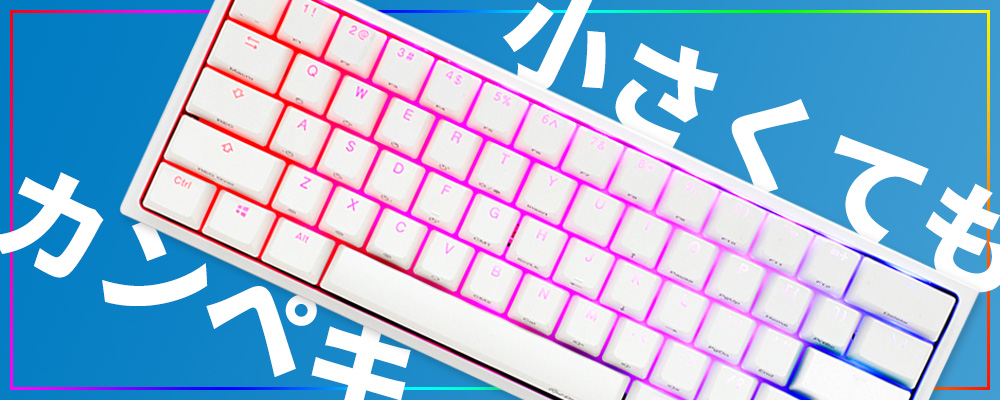
Ducky One 2 Mini is a favorite among professional gamers!
The Ducky One2 RGB Mini is 60% smaller and highly portable, yet designed with user convenience in mind, creating a more convenient and comfortable desk environment.
The Pro version uses the "QUACK Mechanics" familiar from the One3 series.
The keycaps are made of True PBT, and the silicone plate damper and EVA foam case damper provide the best keystroke feel and sound.
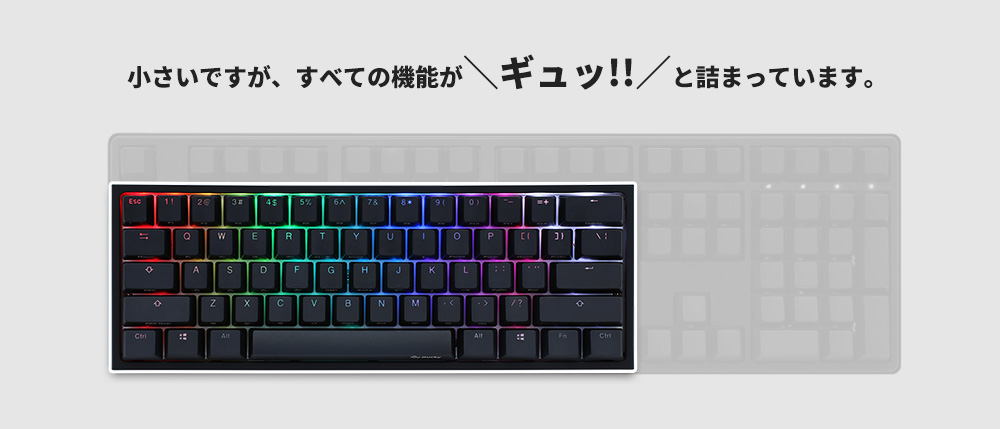
Compared to the full-size and TKL versions, it's 60% smaller and very compact!
Not only does it give you ample space on your desk, allowing you to move your mouse freely, but it's also extremely convenient to carry around!
The size of the main body is very small and the number of keys is considerably less than that of a full-size keyboard, but this does not affect its functionality.
When combined with the Fn key, you can also use the keys on a full-size keyboard (such as the F1 to F12 F key row, arrow keys, function keys such as PrintScreen, volume control, etc.)!
What's more, it also has more features than a full-size keyboard, such as hardware macro registration and mouse control!
Product description
▼True PBT

The QUACK Mechanics series uses only the finest materials, with keycaps made from True PBT.
The double-shot technique, which molds two resins simultaneously, creates seamless keycaps that will not fade even after years of use.
The matte finish on the surface is resistant to wear and tear, and maintains the same appearance as when you first purchased it, even with fast movement and prolonged use.
The keycaps also feature a shine-through coating that allows the characters to be seen through, providing excellent visibility even in dark rooms, creating the perfect environment for gaming.
▼Optimized structure
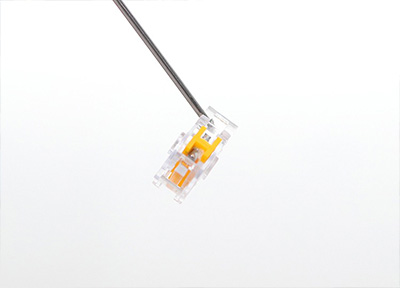
Weight distribution and a low case height improve overall keyboard stability, helping you maintain a stable posture even during the most demanding moments.
The front-to-back weight ratio is designed to keep the keyboard in a stable position, essential for advanced gaming and typing.
▼Real acoustics
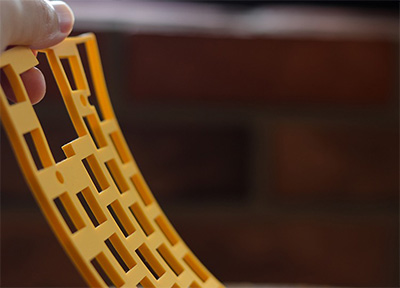
The multi-layered pads highlight the true sound of the switch and reduce unwanted noise during use.
Additionally, EVA foam padding is placed under the PCB to eliminate unwanted noise and further improve keystroke sound.
▼Select the switch that suits your preference
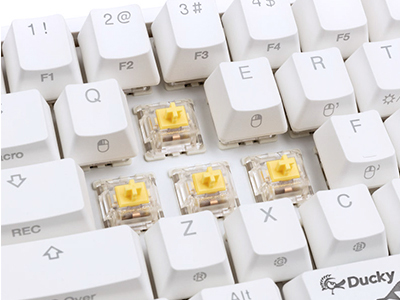
The One 2 mini offers a variety of switches with different characteristics so you can choose the one that best suits your typing preference.
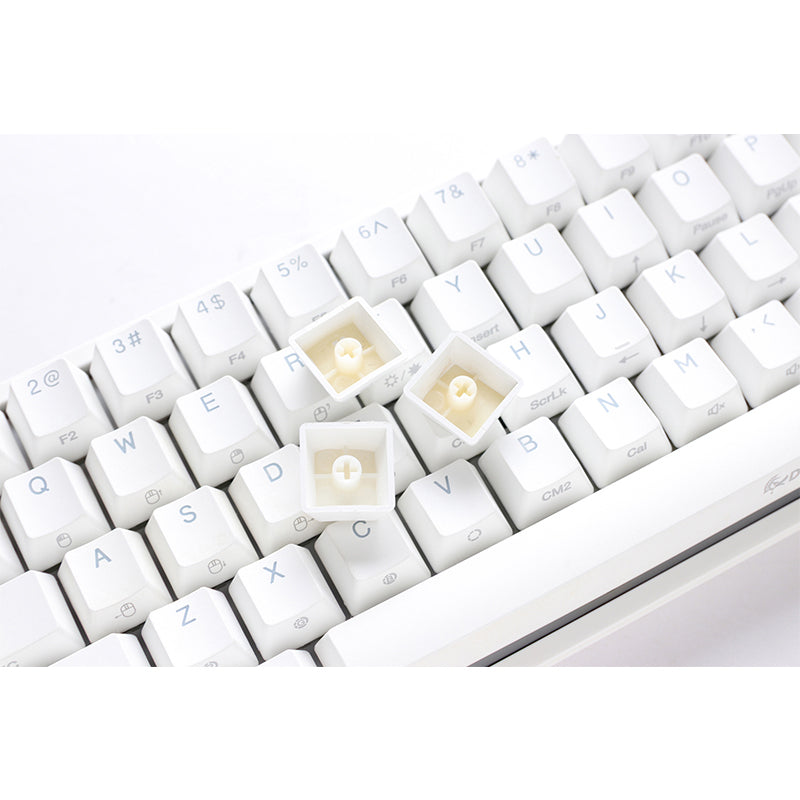
The switches have a standard cross-shape design, allowing you to easily replace the keycaps yourself.Each switch has different features, so please choose the one you like. *Some switches may not be available.


▼Compact keyboard with macro setting function
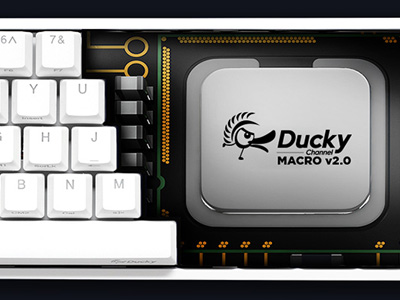
No special software installation is required, and macros can be easily set up and used on the keyboard as needed.
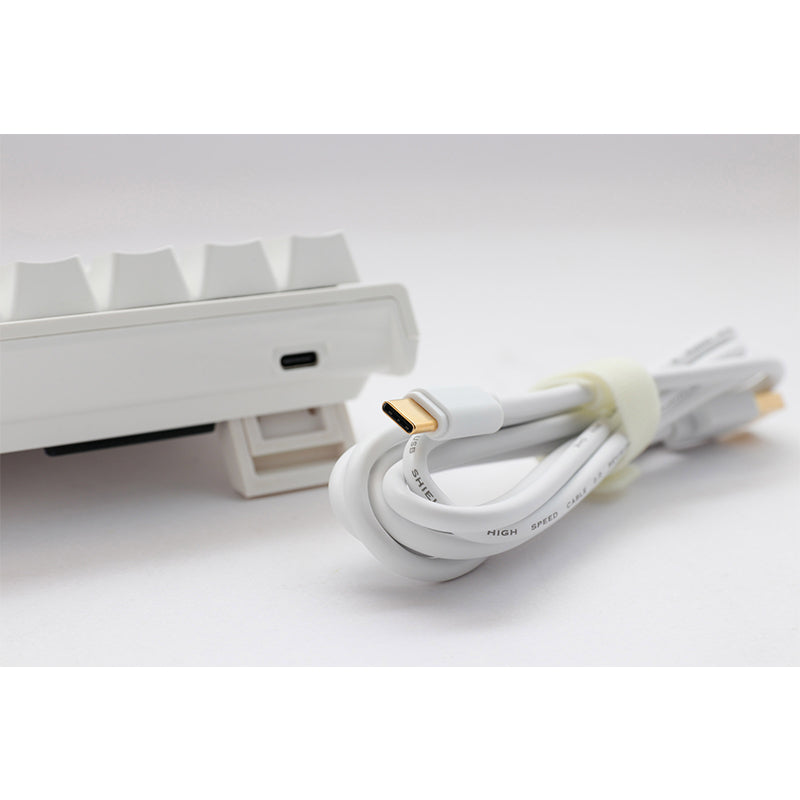
Detachable USB Type-C cable
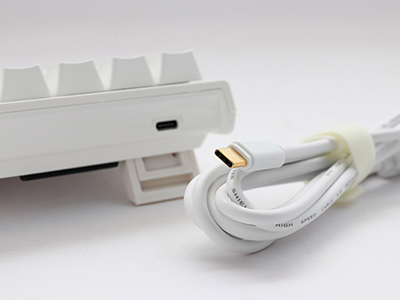
It features a detachable USB Type-C cable for ultimate convenience.
The detachable cable not only adds convenience but also allows for neater organization and storage.
It uses USB HID at the highest frequency of 1000Hz polling rate, which means the keyboard sends input signals to the PC 1000 times per second.
It also minimizes delays when keys are pressed and when signals are received from the computer.
▼Double-layer PCB
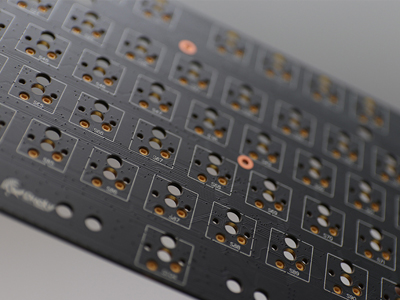
Improves lifespan and signal stability.
N-key or 6-key rollover options allow for any number of simultaneous key presses.
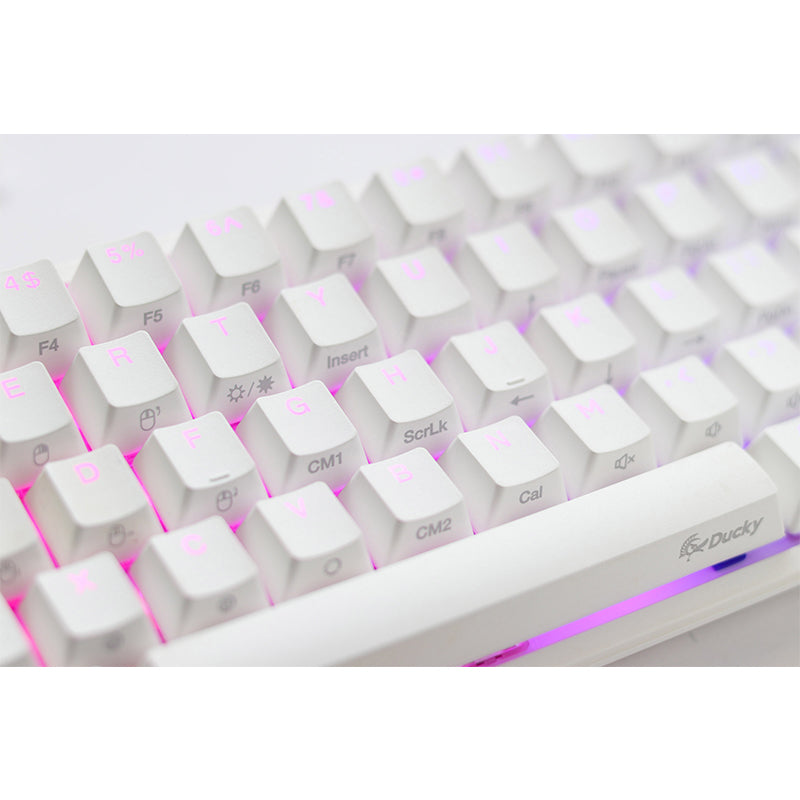
▼100% full RGB backlight

Equipped with a beautiful RGB backlight that will brighten your mood just by looking at it.
Each key is equipped with an RGB LED, allowing you to illuminate the keyboard body with vivid colors.
There are a total of 11 default backlight patterns, which can be switched by pressing Fn + Alt + T.
No special software installation is required, and you can change the lighting pattern and LED color settings directly on the keyboard.
The keycaps also feature a shine-through coating that allows the characters to be seen through, providing excellent visibility even in dark rooms, creating the perfect environment for gaming.
▼3-level adjustable foot

The One 2 mini has two adjustable feet on the left and right sides, allowing you to adjust the keyboard angle to three different positions.
By choosing the perfect angle, you can enjoy comfortable typing and easy key visibility.
▼Sophisticated white bezel design

The all-white bezel design is different from other products, achieving a simple yet beautiful body line.
The white bezel, which incorporates all of the know-how gained from years of mechanical keyboard design, is minimalist yet matches any environment, shining brightly on your desk and providing a better typing environment.
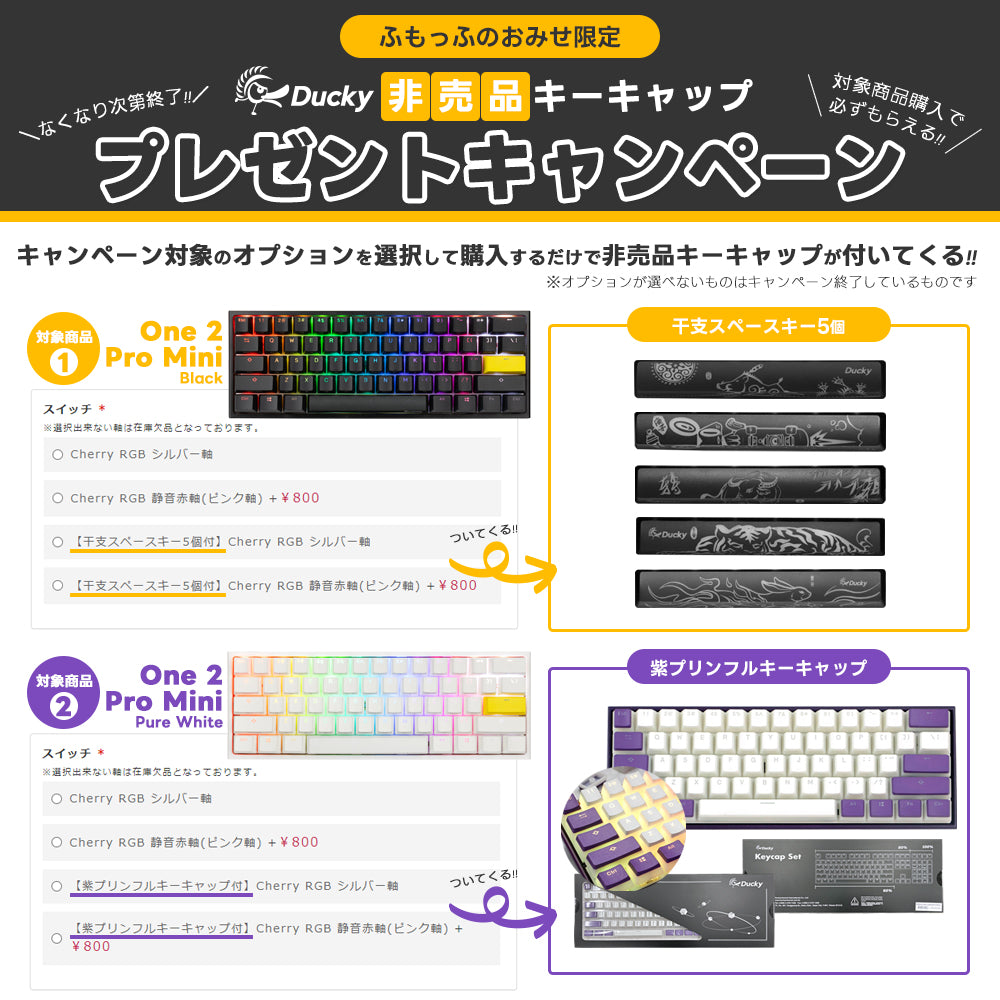
▼A space bar with a zodiac design is included.
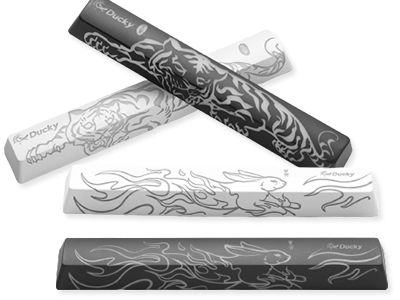
It comes with a space bar with a zodiac design that changes every year.
Please note that the design will vary depending on the time of purchase, so you will not be able to choose the design.
▼Colorful replacement keycaps are included.
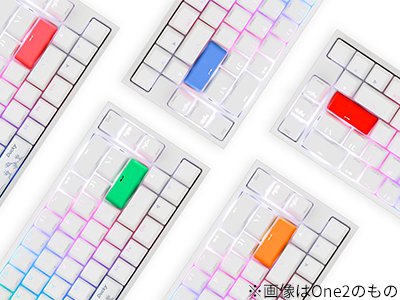
The One2 series comes with colorful replacement keycaps!
The colors are completely random, so you'll have to wait until it arrives to find out what colors are included!
Please note that you cannot choose the option.
*Replacement keycaps in colors other than those shown in the photo may be included.

▼ "Mouse function" that allows you to move the mouse cursor on the keyboard
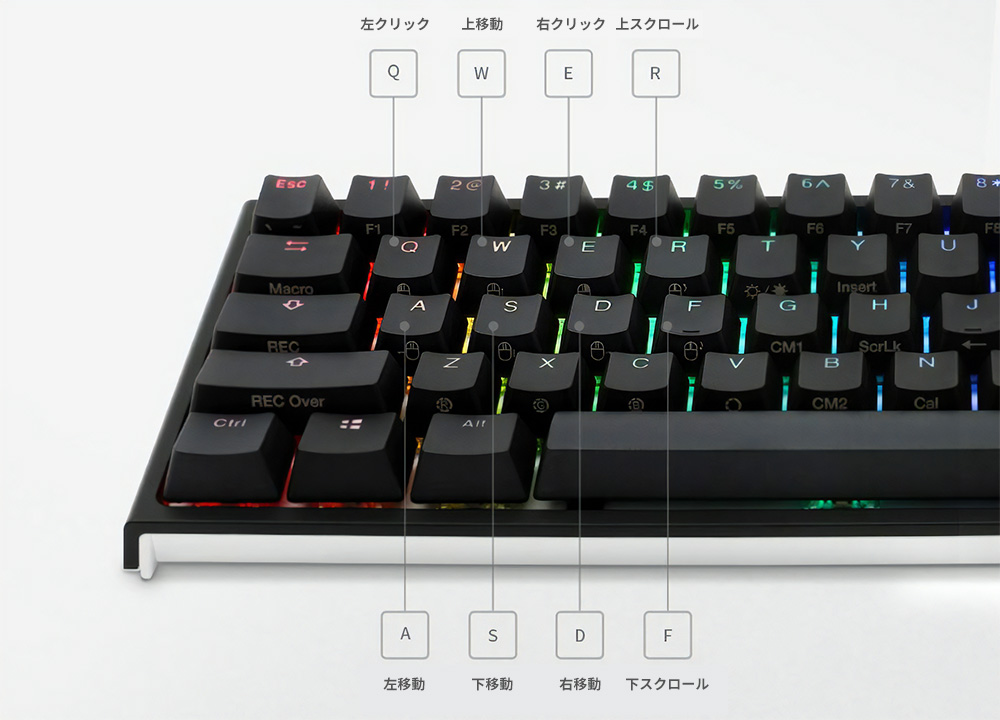
By pressing the Fn key and the corresponding key, you can perform mouse functions such as moving up, down, left, and right, clicking left and right, and scrolling up and down using the keyboard.
You can conveniently use mouse functions on your keyboard without having to move your mouse.
▼ Useful "function keys" in combination with the Fn key
When used in combination with the Fn key on the bottom right, you can easily adjust the system volume or access the calculator function.
The side of the key is printed with information on what function it will perform when combined with the Fn key, so you can use it conveniently without having to look at the manual.
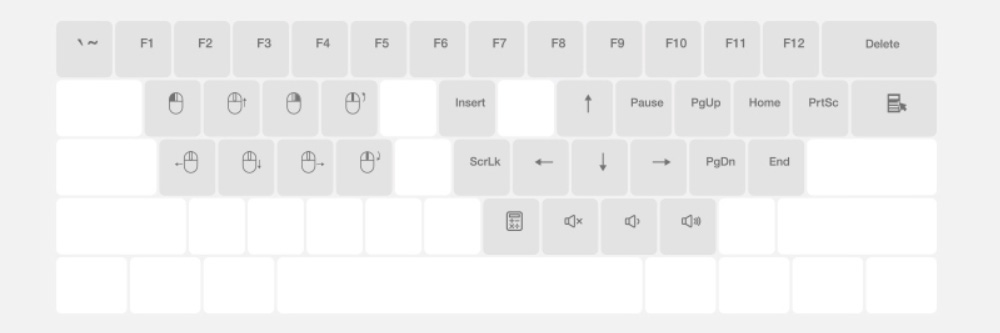
- By combining the number keys on the top with the Fn key, you can input F1 to F12.
- You can enter "'" and "~" by combining the Fn key and Esc key.
- By combining the Fn key with each key, you can enter various functions such as Print Screen, Scroll Lock, Pause, Home, End, and application menu.
- If you press and hold the Fn key for more than 6 seconds, the Fn key will flash and the Fn key will be locked (held down).
Press and hold the Fn key again for more than 6 seconds to release the lock.
▼Macro function for smartly performing repetitive tasks
Ducky also has a macro function.
By registering macros to your keyboard in advance, you can conveniently use them repeatedly when needed.
In addition to the basic settings, you can register five custom profiles.
By combining the three layers (normal key layer, Fn key layer, and Fn + Ctrl key layer), you can perform more macro functions, allowing you to perform repetitive tasks smarter.
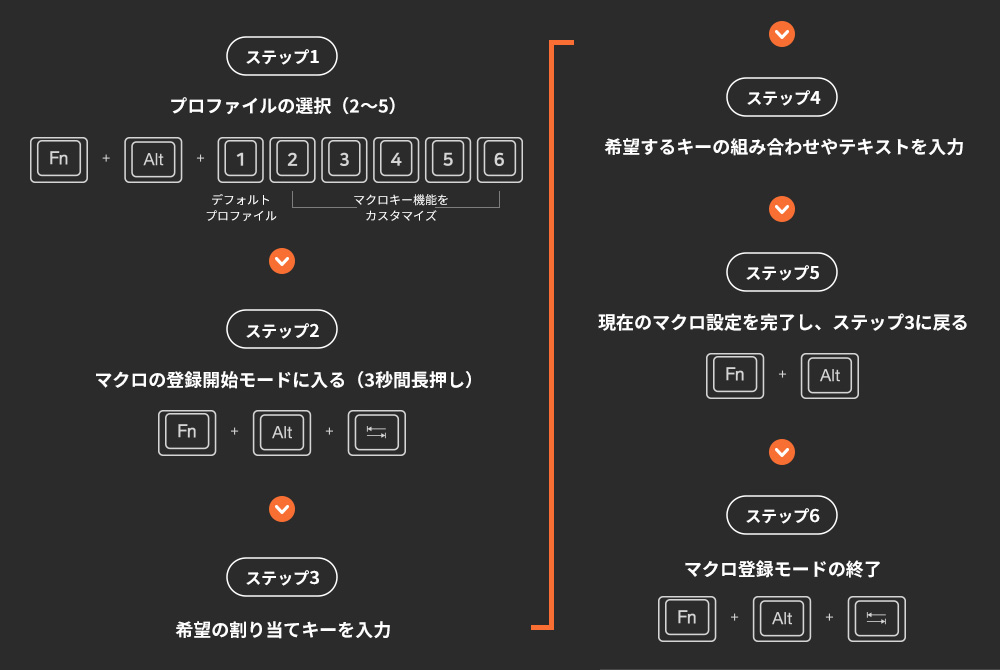
*Macro functions are registered based on the user's typing speed.
*For other detailed instructions, please refer to the product manual.
▼DIP switch function guide
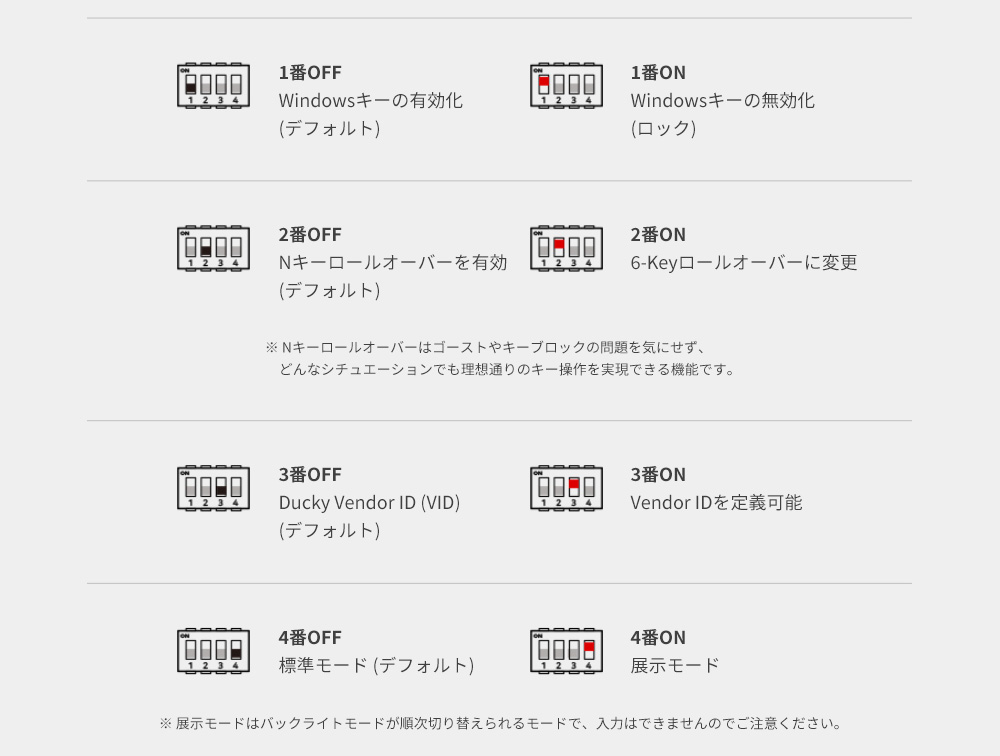
*The function of the DIP switch varies depending on the model number (version) of Ducky One 2 Mini.
The above explanation is for the DKON2061ST, so for other model numbers please check your manual.
*How to check the model number: The model number is written on the plate on the back of the keyboard.
▼Information about function key position change function

This function allows you to change the positions of the Ctrl/Windows/Alt/Fn keys and the function of the Caps Lock key position.
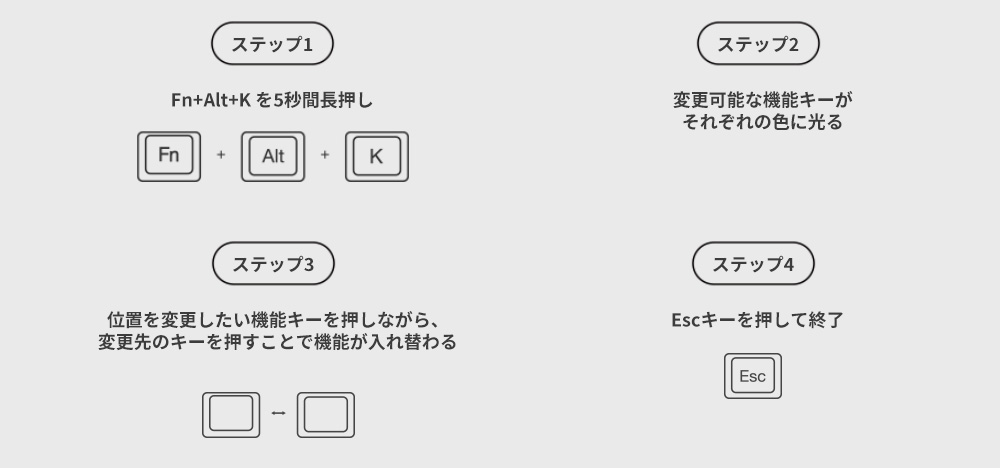
*By default, the Capslock LED will light up white, and each time you press it the function will change sequentially, so when the color of the function key you want to change appears, press the Esc key to end the setting.
*For other detailed instructions, please refer to the product manual.
▼Product introduction video
Product features
Type: Mechanical Keyboard Switches: Cherry MX Mechanical Switches Interface: USB 2.0
Keycap material: PBT
Simultaneous Key Input: USB N-Key Rollover (NKRO)
Legend Print: Double Shot
Dimensions: 302 x 108 x 40 mm
Weight: 590g
Country of origin: Taiwan
DKONE2SERIES DK60SIZE
Contents
・Ducky One 2 mini Pure White RGB main unit × 1
・USB Type-C cable x 1
・Key removal tool with logo × 1
・Replacement keycaps (random color)
・Space key cap with zodiac design x 1
・Instruction manual x 1
*Depending on the time of arrival, the included instructions may be changed from a booklet to a downloadable version.
We apologize for the inconvenience, but please download the instruction manual from the official Ducky website.
There is a QR code on the back of the white cardboard that comes with the keyboard. Please scan it.
Please go to [Products] → [Model name] → [Download] → [User manual] to download and use it.
Product information
More Information
Extended Information
| Item number | dk-one2-pro-rgb-mini-pw |
|---|---|
| situation | New |
| Product sales/exporting countries | Taiwan |
| Packing weight (g) | 1000 |
Ducky One 2 Pro Mini Pure White RGB 60% version
¥16,980
(Tax included.)
¥
¥(/)
(Tax included.)
Also Recommended
This product has no reviews yet.
よくある質問と回答
ご不明な点がございますか?
ご注文後のお問い合わせはカスタマーサービスにご連絡ください
This product has no reviews yet.